Karrigan’s CS2 Config and Settings

Karrigan’s CS2 Config and Settings
Finn “Karrigan” Andersen is one of the most legendary in-game leaders (IGLs) in Counter-Strike history. Known for his tactical genius and ability to bring out the best in his teammates, Karrigan has led some of the most iconic teams to success, including FaZe Clan, where he finally secured his first Major victory at PGL Antwerp 2022.
What sets Karrigan apart is his longevity and adaptability. With over a decade of experience, he remains one of the most respected leaders in the scene, known for his sharp mind and composure under pressure. His ability to craft winning strategies while still holding his own in firefights makes him a unique force on the server.
Want to see what setup Karrigan uses to stay at the top of his game? Let’s dive into his CS2 config and settings!
Karrigan’s CS2 Config, Karrigan’s Sensitivity Settings in CS2, Karrigan’s Crosshair in CS2, Karrigan’s Graphics Settings in CS2, Karrigan’s Viewmodel Settings in CS2, Karrigan’s Devices — Mouse, Headphones, and Keyboard in CS2, Karrigan’s Skins
Karrigan’s CS2 Config
As one of the most accomplished IGLs in CS2, Karrigan’s config is designed to give him clarity and control in every match. His setup strikes a balance between tactical awareness and precision, ensuring he can make split-second decisions while still landing key shots when it matters most.
Whether you’re looking to fine-tune your own gameplay or just curious about how a pro leader approaches his setup, Karrigan’s config is a solid choice to try out.
Karrigan’s Sensitivity Settings in CS2
As an in-game leader, Karrigan needs sensitivity settings that provide precision and consistency. His setup ensures that he can make quick adjustments in critical moments while maintaining full control over his aim. Whether he’s taking a key duel or focusing on map awareness, Karrigan’s sensitivity settings are all about finding the right balance.
Here’s a breakdown of Karrigan’s sensitivity settings in CS2:
-
DPI: 400
-
Sensitivity: 1.80
-
eDPI: 720
-
Zoom Sensitivity: 1.00
-
Polling Rate (Hz): 1000
-
Windows Sensitivity: 6
This configuration offers a comfortable eDPI of 720, providing Karrigan with consistent aim across different weapons. His zoom sensitivity is set to 1.00, making it easier to adjust between scoped and unscoped weapons, which is critical for dynamic in-game leadership.
Karrigan’s Crosshair in CS2
Karrigan’s crosshair is clean, simple, and highly functional, perfect for a player who needs clear visuals to make tactical decisions and land critical shots. As an in-game leader, he can’t afford distractions, so his crosshair is optimized for clarity and focus in any situation.
If you’re looking for a no-nonsense crosshair setup, Karrigan’s might be exactly what you need. Just copy and paste the code below into your game settings and give it a try:
CSGO-b7bY7-KyoTu-Lkf7W-rNQqd-m7VeL
Crosshair Placement Guide in CS2
Karrigan’s Graphics Settings in CS2
Karrigan’s graphics settings are optimized for performance and clarity, ensuring he never misses crucial visual details during a match. His low-detail settings help him maintain high FPS, while the stretched resolution makes enemy models appear larger and easier to track—a classic choice among pro players.
Here’s a breakdown of Karrigan’s key graphics settings in CS2:
-
Resolution: 1280x960
-
Aspect Ratio: 4:3
-
Screen Mode: Fullscreen
-
Scaling Mode: Stretched
-
Brightness: 93%
-
Boost Player Contrast: Enabled
-
V-Sync: Disabled
-
Multisampling Anti-Aliasing Mode: 8x MSAA
-
Global Shadow Quality: High
-
Model/Texture Detail: Low
-
Texture Filtering Mode: Anisotropic 8x
-
Shader Detail: Low
Karrigan’s Viewmodel Settings in CS2
Karrigan’s viewmodel settings are designed to maximize visibility while keeping his weapon out of the way. As an in-game leader, Karrigan needs to focus on the bigger picture during matches, and his viewmodel is configured to ensure nothing obstructs his view of the action.
Here’s how Karrigan sets up his viewmodel in CS2:
viewmodel_fov 68
viewmodel_offset_x 2.5
viewmodel_offset_y 1
viewmodel_offset_z -1.5
viewmodel_presetpos 3
Karrigan’s Devices — Mouse, Headphones, and Keyboard in CS2
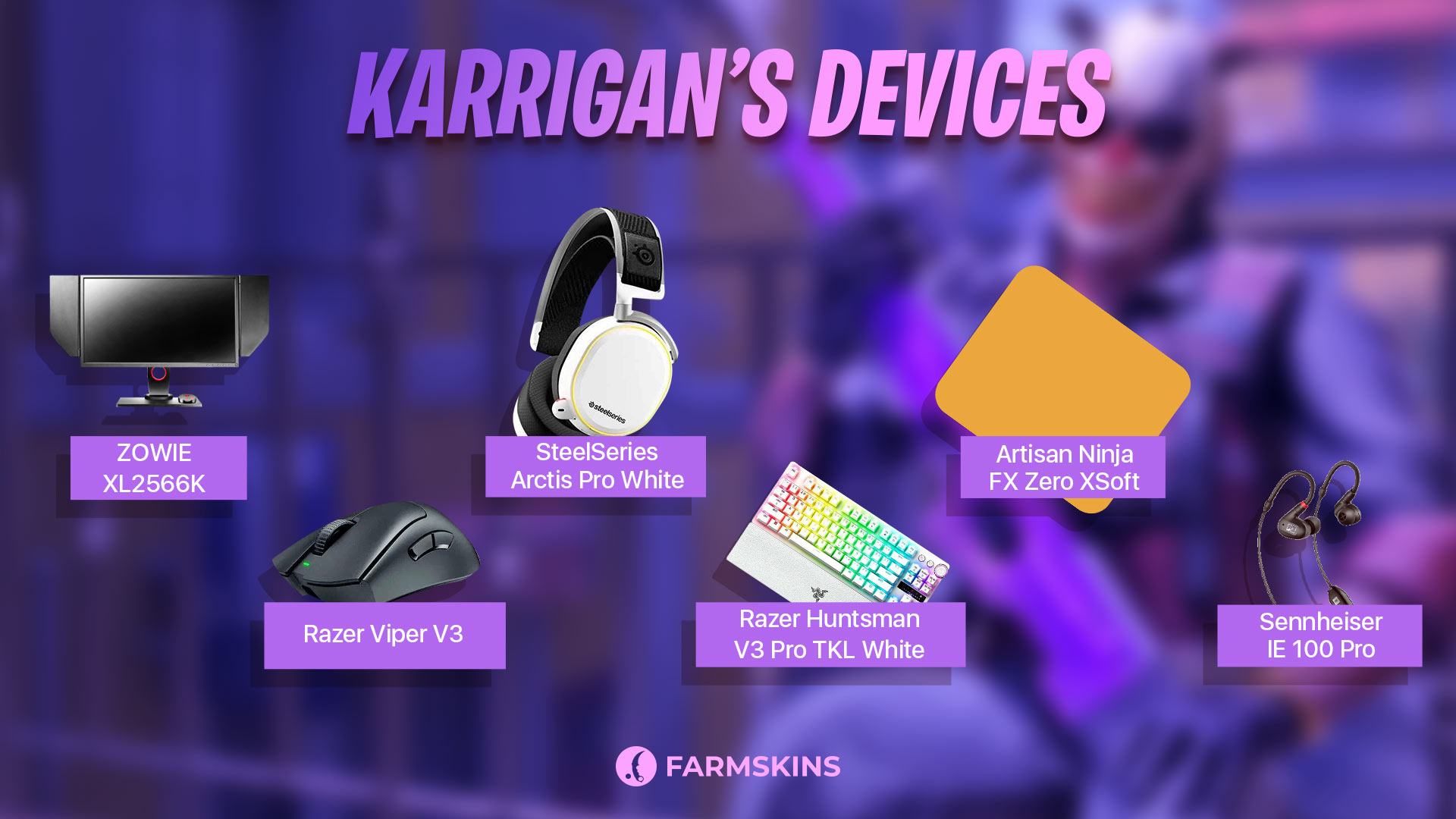
When it comes to gear, Karrigan relies on top-tier devices that provide precision, reliability, and comfort. As one of the most experienced IGLs in the CS2 scene, his equipment ensures that he can focus on leading his team while still holding his own in firefights.
Here’s a breakdown of Karrigan’s current device setup:
-
Monitor: ZOWIE XL2566K
-
Mouse: Razer Viper V3 Pro Black
-
Keyboard: Razer Huntsman V3 Pro TKL White
-
Headset: SteelSeries Arctis Pro White
-
Mousepad: Artisan Ninja FX Zero XSoft
-
Earphones: Sennheiser IE 100 Pro
The secrets behind Pro players setup
Karrigan’s Skins
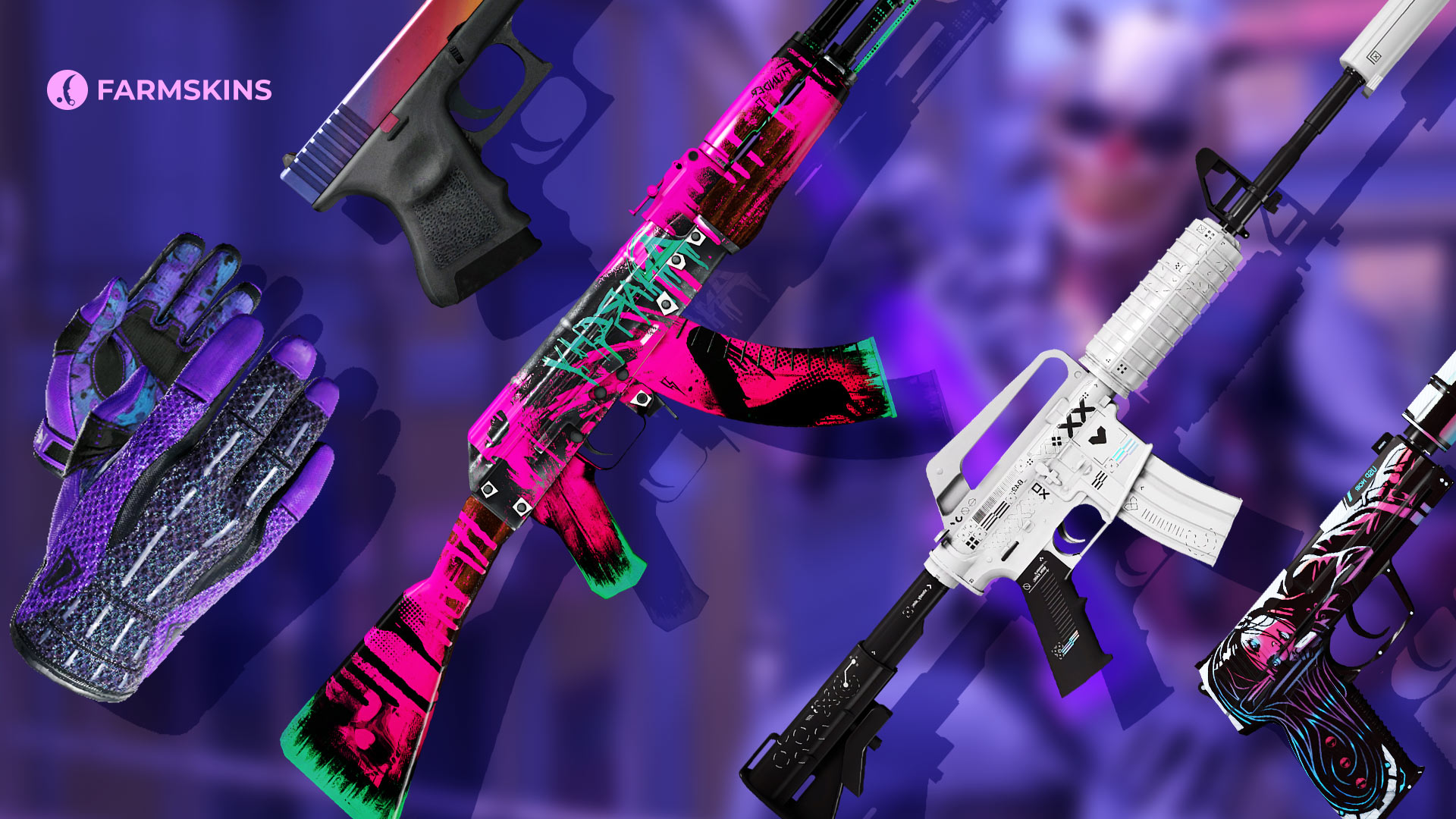
Karrigan’s skin collection reflects his balance of style and focus, with a mix of bold and clean designs that suit his calm, tactical approach to the game. From colorful knives to iconic rifles, his loadout strikes a perfect blend of reliability and flair.
Here’s a breakdown of Karrigan’s notable skins in CS2:
Knife: M9 Bayonet | Marble Fade (Factory New)
A vibrant, multicolored knife that stands out with its mesmerizing gradient finish. The Marble Fade pattern makes it a flashy yet elegant choice, perfect for a leader who likes to keep things sharp and stylish.
Average Price: $1400
Item Drops From These Cases: Eye-Catching, Shadow, Aladdin
Gloves: Sport Gloves | Pandora’s Box (Minimal Wear)
These gloves feature a striking purple-and-black color scheme, offering a stylish and practical look for in-game action. The Pandora’s Box gloves are a popular choice for players who want visual impact without going over the top.
Average Price: $11300
Item Drops From These Cases: Gungnir, Gloves, Pixel Future
AK-47: Neon Revolution (Minimal Wear)
The Neon Revolution is a bold and rebellious graffiti-style AK-47 skin that brings a splash of bright pink and green to the battlefield. It’s a standout choice that makes Karrigan’s loadout impossible to miss.
Average Price: $50
Item Drops From These Cases: Lotus, Eye-Catching, Falcon
M4A1-S: Printstream (Factory New)
The Printstream skin is known for its futuristic white design with holographic highlights. It adds a modern, polished look to Karrigan’s loadout, while the pearl-like shine makes it a favorite among pros.
Average Price: $400
Item Drops From These Cases: Exclusive, Covert, Pixel Future
Glock-18: Fade (Factory New)
The Glock-18 Fade features a smooth gradient of purple, pink, and orange, making it one of the most elegant pistol skins in the game. This skin adds a touch of luxury and style to Karrigan’s sidearm.
Average Price: $1500
Item Drops From These Cases: Exclusive, Top Guns, Restricted
USP-S: Neo-Noir (Factory New)
The Neo-Noir is a visually striking skin with an artistic comic-book-style design. Its dark aesthetic is perfect for players like Karrigan, who prefer a bold yet sophisticated look for their pistols.
Average Price: $30
Item Drops From These Cases: Lotus, Covert, Eye-Catching
That’s the full breakdown of Karrigan’s CS2 setup—from his sensitivity settings and crosshair to his gear and skins. As one of the most legendary in-game leaders, Karrigan’s config is carefully crafted to help him stay sharp and focused, ensuring he makes critical calls and lands important shots during matches.
Whether you’re looking to improve your own gameplay or just curious about how one of CS2’s top minds approaches the game, Karrigan’s setup offers valuable insights. But remember, it’s not just about the config—it’s about how you apply it to your own playstyle.
So, download his config, gear up, and bring that leadership mindset to your own matches. Who knows? You might just start pulling off game-winning calls like Karrigan himself. GG and go frag some noobs!


