ropz’s Config and Settings in CS2: Get Ahead with These Winning Configs

ropz’s Config and Settings in CS2: Get Ahead with These Winning Configs
Robin “ropz” Kool, the Estonian aim god, has been tearing up the CS2 scene for years. He first made waves with MOUZ, where his insane consistency and game sense caught everyone’s attention. Fast forward to 2022, and ropz is now a key player for FaZe Clan, helping them bag huge wins like the PGL Major Antwerp and IEM Katowice. Many players looking to replicate his success start by studying the ropz cfg to understand his precision-focused approach.
But here’s the cool part: ropz is all about perfecting his game, and his configs and setups are a big reason why his aim is so deadly. Digging into the ropz pro settings gives great insight into his sensitivity, crosshair, and visual tweaks. If you’re looking to step up your game, let’s dive into ropz cfg and learn how you can apply those details to sharpen your skills. With the ropz pro settings as your blueprint, you might just hit that next level.
ropz’s Config in CS2, ropz’s Sensitivity Settings in CS2, ropz’s Crosshair in CS2, ropz's Graphics Settings, ropz's Viewmodel Settings in CS2, ropz's Devices — Mouse, Headphones, and Keyboard in CS2, ropz's Skins, Conclusion
ropz’s Config in CS2
Alright, if you want to tap into that ropz-level precision, you’ve got to start with the right setup. This guy’s configs in CS2 are all about getting that perfect blend of smoothness and control. Ready to level up your game?
Download ropz’s settings via the link below and see what gives him that edge in every match!
ropz’s Sensitivity Settings in CS2
When it comes to sensitivity settings, ropz knows exactly how to dial it in for those crispy headshots. His sense is fine-tuned to perfection, giving him that perfect balance between fast flicks and smooth control. Want to aim like the Estonian beast himself? Dive into ropz’s sensitivity settings below and see how tweaking just a few numbers can up your game to pro level!
-
DPI: 400
-
Sensitivity: 1.77
-
eDPI: 708
-
Zoom Sensitivity: 1
-
Hz: 8000
-
Windows Sensitivity: 6
ropz’s Crosshair in CS2
When it comes to crosshairs, ropz keeps it simple but deadly. His crosshair isn’t just a dot on the screen; it’s a precision tool crafted for one-taps and clutch plays. You know how they say, “The devil’s in the details”? Well, ropz’s crosshair is all about those fine-tuned details that make every shot count.
CSGO-MMQuh-Hs3Sj-Qv9zd-VaCmc-3QqNO
How to Change Crosshair in CS2
ropz's Graphics Settings
When it comes to graphics, ropz isn’t here to admire the scenery—he’s here to dominate. He cranks up the resolution for that crisp, clear view but keeps the textures low so nothing gets in the way of those clutch moments. It’s all about spotting opponents faster and keeping your focus razor-sharp. If you’re ready to see the game through ropz’s eyes, dive into his graphics settings and discover the sweet spot between high-res and low distractions!
-
Resolution: 1920×1080
-
Aspect Ratio: 16:9
-
Scaling Mode: Native
-
Brightness: 100%
-
Display Mode: Fullscreen
-
Boost Player Contrast: Enabled
-
V-Sync: Disabled
-
NVIDIA Reflex Low Latency: Enabled
-
Multisampling Anti-Aliasing Mode: 2x MSAA
-
Global Shadow Quality: High
-
Model / Texture Detail: Low
-
Texture Filtering Mode: Bilinear
-
Shader Detail: Low
-
Particle Detail: Low
-
Ambient Occlusion: Medium
-
High Dynamic Range: Quality
-
FidelityFX Super Resolution: Disabled (Highest Quality)
ropz's Viewmodel Settings in CS2
When it comes to ropz’s viewmodel settings, he knows it’s all about keeping his weapon out of the way and letting the action take center stage. No clutter, just clean lines of sight so he can spot enemies in a snap. Want to set up your screen like a pro and never miss a beat?
viewmodel_fov 68; viewmodel_offset_x 2.5; viewmodel_offset_y 0; viewmodel_offset_z -1.5; viewmodel_presetpos 2;
ropz's Devices — Mouse, Headphones, and Keyboard in CS2
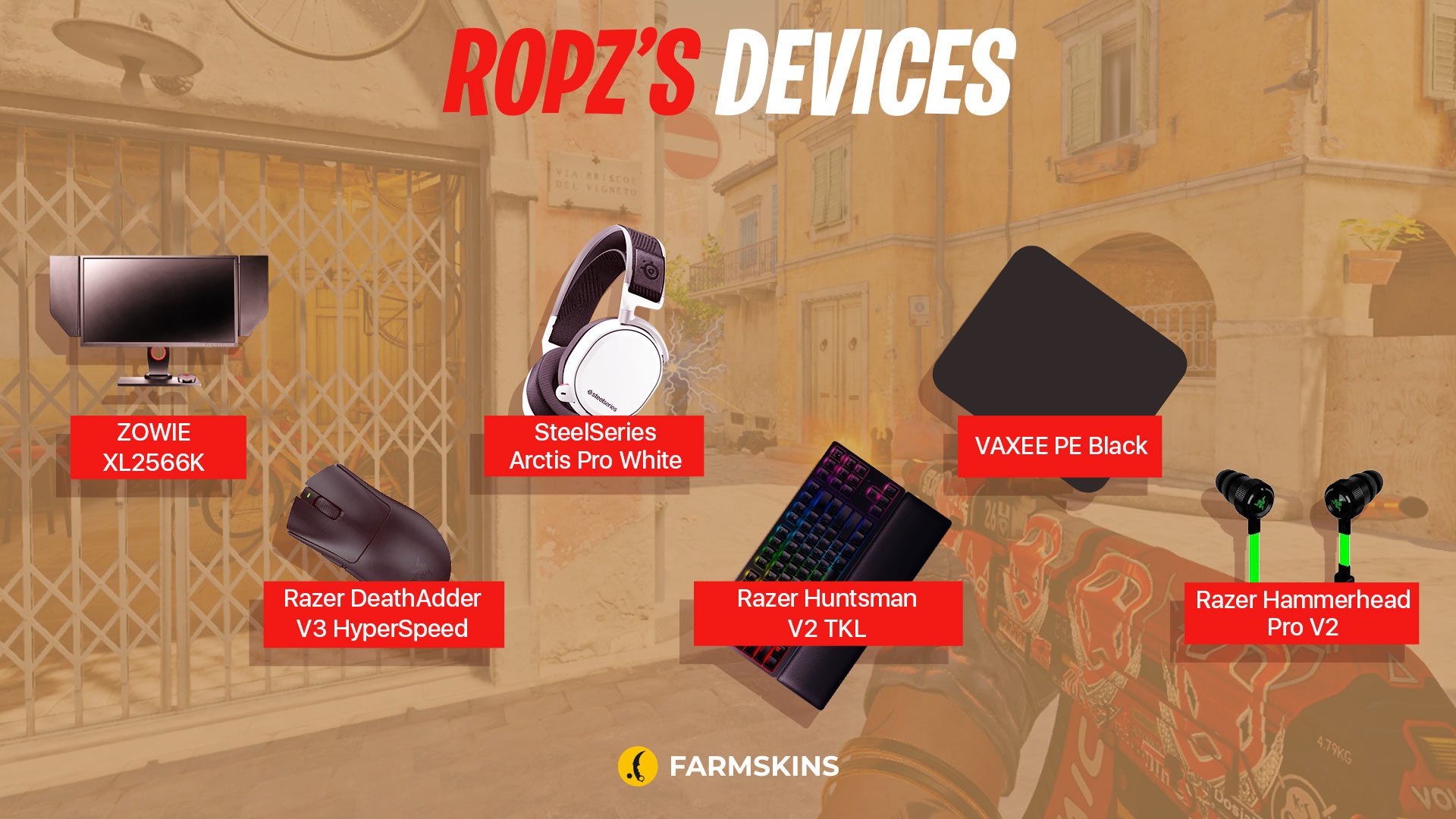
Alright, picture this: ropz’s setup is like the ultimate gamer’s dream. His mouse? It’s basically an aimbot with how precise it is. His headphones? They pick up footsteps like he’s got wallhacks on. And his keyboard? It’s a tactical nuke for those clutch moments.
If you want to know what gear keeps ropz fragging at the top level in CS2, check the devices that make him unstoppable!
-
Monitor: ZOWIE XL2566K
-
Mouse: Razer DeathAdder V3 HyperSpeed
-
Keyboard: Razer Huntsman V2 TKL
-
Headset: SteelSeries Arctis Pro White
-
Mousepad: VAXEE PE Black
-
Earphones: Razer Hammerhead Pro V2
ropz's Skins
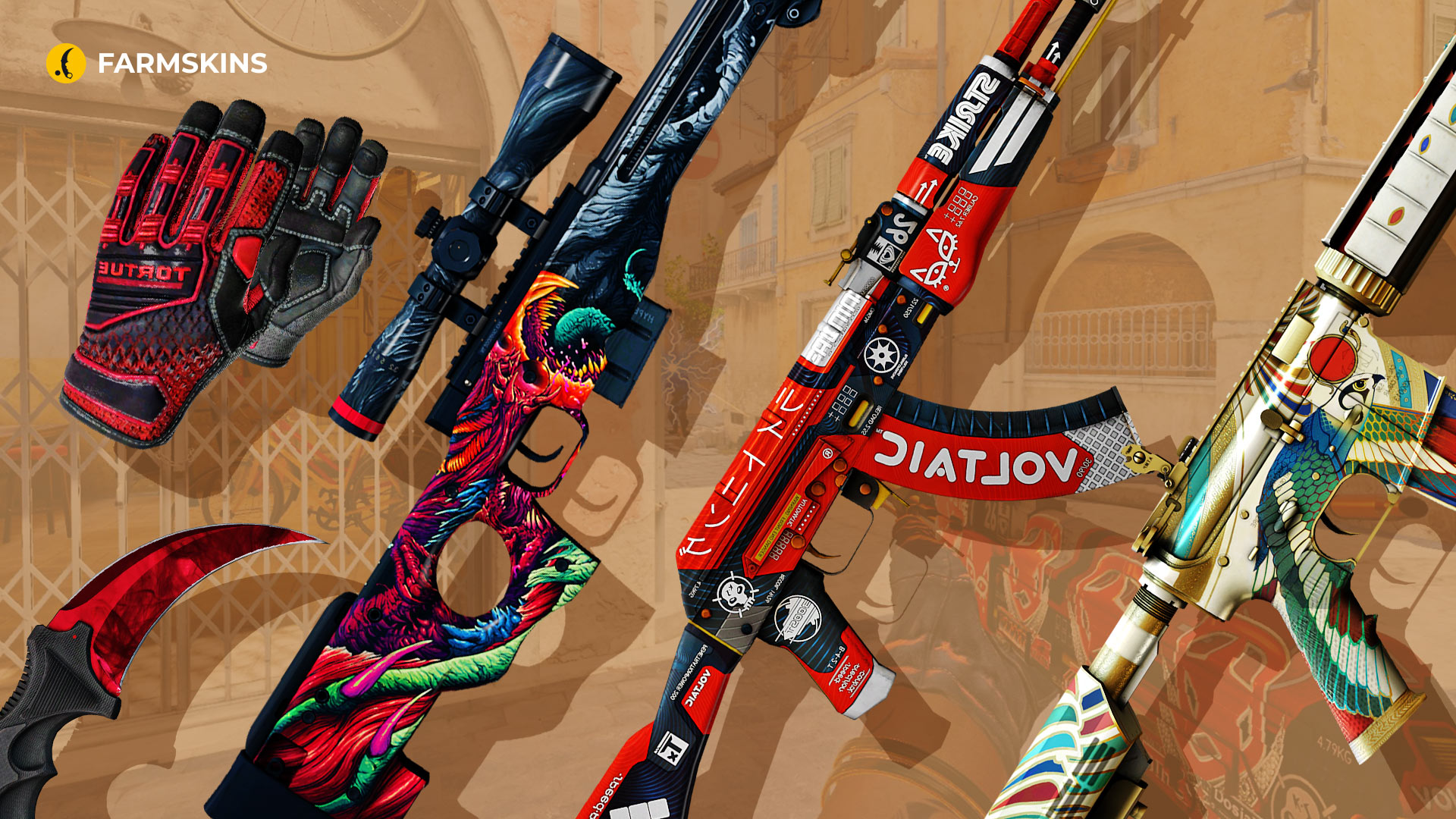
ropz’s skins in CS2 are straight fire! While his gameplay does most of the talking, his skins add that extra flair. From sleek rifles to flashy knives, his loadout definitely stands out. If you’re curious about what skins ropz flexes in-game, this is the spot. Let’s check out the swag he’s rocking!
Karambit | Doppler Ruby (Factory New): This stunning knife features a deep, blood-red finish that stands out in any collection, making it a top-tier choice for those who want their melee kills to shine.
Average Price: $7,500
Specialist Gloves | Crimson Kimono (Field-Tested): These gloves combine sleek design with tactical efficiency, giving your hands a stylish edge while keeping your grip steady in intense firefights.
Average Price: $2,300
Item drops from these cases: Gloves, Streets of Fights, Farmgloves.
AK-47 | Bloodsport (Field-Tested): With its bold, racing-inspired design, the Bloodsport AK-47 is a head-turner, perfect for players who want to frag out in style.
Average Price:
Item drops from these cases:
M4A4 | Eye of Horus (Factory New): This skin showcases an intricate, ancient Egyptian theme, bringing a mix of history and high damage to your M4A4.
Average Price: $100
Item drops from these cases: Exclusive, Covert, AK-47, Blaze, The Boss, Gunsmith, Ez Covert, Lucky AK-47, Lotus
AWP | Hyper Beast (Minimal Wear): The Hyper Beast’s vibrant, monstrous artwork makes this AWP a true beast on the battlefield, guaranteed to grab attention with every shot.
Average Price: $50
Item drops from these cases: Covert, AWP, Streets of Fight, Blaze, Gamer, Rush, Fast AWP, Doppy, Hissing snake, Recoil
Conclusion
In the world of CS2, ropz isn’t just playing — he’s dominating, and his setup is a huge part of that. From his pinpoint-accurate mouse to those crispy visuals, everything’s tuned to give him the upper hand. Studying the ropz cfg is a great way to understand how he fine-tunes every aspect of his gameplay for maximum efficiency.
But let’s be real, it’s not just the gear — it’s his dedication, game sense, and non-stop grind that make him a beast. If you want to level up your game, follow his lead, dive into the ropz pro settings, and start tweaking your setup for performance and precision. Remember, it’s not just about playing — it’s about owning the server. With the right ropz cfg and a close look at the full ropz pro settings, you’ll be one step closer to fragging like a true pro. Time to get after it!


