Makazze CS2 Settings and Config

Makazze CS2 Settings and Config
Drin “makazze” Shaqiri is an 18-year-old professional CS2 player from Kosovo, currently playing for Natus Vincere. In early July 2025, he was promoted from NAVI.J to the organization’s main roster. Known as an aggressive rifler with outstanding stats, makazze has already secured several online tournament victories, including CCT Season 3 Europe Series #2 and #3, YaLLa Compass Qatar 2025, and Thunderpick World Championship Series #1, earning a significant prize pool. Let’s take a closer look at makazze settings and configuration in CS2.
Makazze’s CS2 Config, Makazze’s Mouse Settings in CS2, Makazze’s Crosshair in CS2, Makazze’s Video Settings in CS2, Makazze’s Viewmodel Settings in CS2, Makazze’s Gear in CS2, Makazze’s Skins in CS2, Conclusion
Makazze’s CS2 Config
makazze favors settings that allow him to react quickly and maintain strong recoil control — a crucial factor in his success on the professional scene. Makazze configuration suits players aiming to improve both their accuracy and speed.
Makazze’s Mouse Settings in CS2
makazze uses moderate sensitivity settings, helping him to stay precise and agile during intense gunfights:
-
DPI: 800
-
In-game sensitivity: 1.3
-
eDPI: 1040
-
Zoom sensitivity: 1.0
-
Polling rate: 1000 Hz
-
Windows sensitivity: 6
This setup provides a solid balance between fast reaction time and high accuracy.
Makazze’s Crosshair in CS2
makazze uses a clean and straightforward crosshair that remains visible across all maps:
Crosshair code:
CSGO-WpzzV-rfE8R-RZZfW-sCpxR-R3pxA
Makazze’s Video Settings in CS2
To ensure high performance and clear visibility of enemies, makazze applies the following video settings:
-
Resolution: 1280 × 960
-
Aspect ratio: 4:3
-
Scaling mode: Stretched
-
Brightness: 93%
-
Boost player contrast: Enabled
-
V-Sync: Disabled
-
G-Sync: Disabled
-
NVIDIA Reflex Low Latency: Enabled
-
MSAA: 8x MSAA
-
Global shadow quality: High
-
Dynamic shadows: All
-
Model & texture detail: Low
-
Texture filtering mode: Bilinear
-
Shader & particle detail: Low
This combination provides high FPS and a clear image for competitive play.
Makazze’s Viewmodel Settings in CS2
makazze weapon viewmodel is optimized to stay out of the way and provide maximum field visibility. These settings help him keep track of his surroundings and react quickly:
Viewmodel Settings:
viewmodel_fov 68
viewmodel_offset_x 2.5
viewmodel_offset_y 0
viewmodel_offset_z -1.5
viewmodel_presetpos 2
Makazze’s Gear in CS2
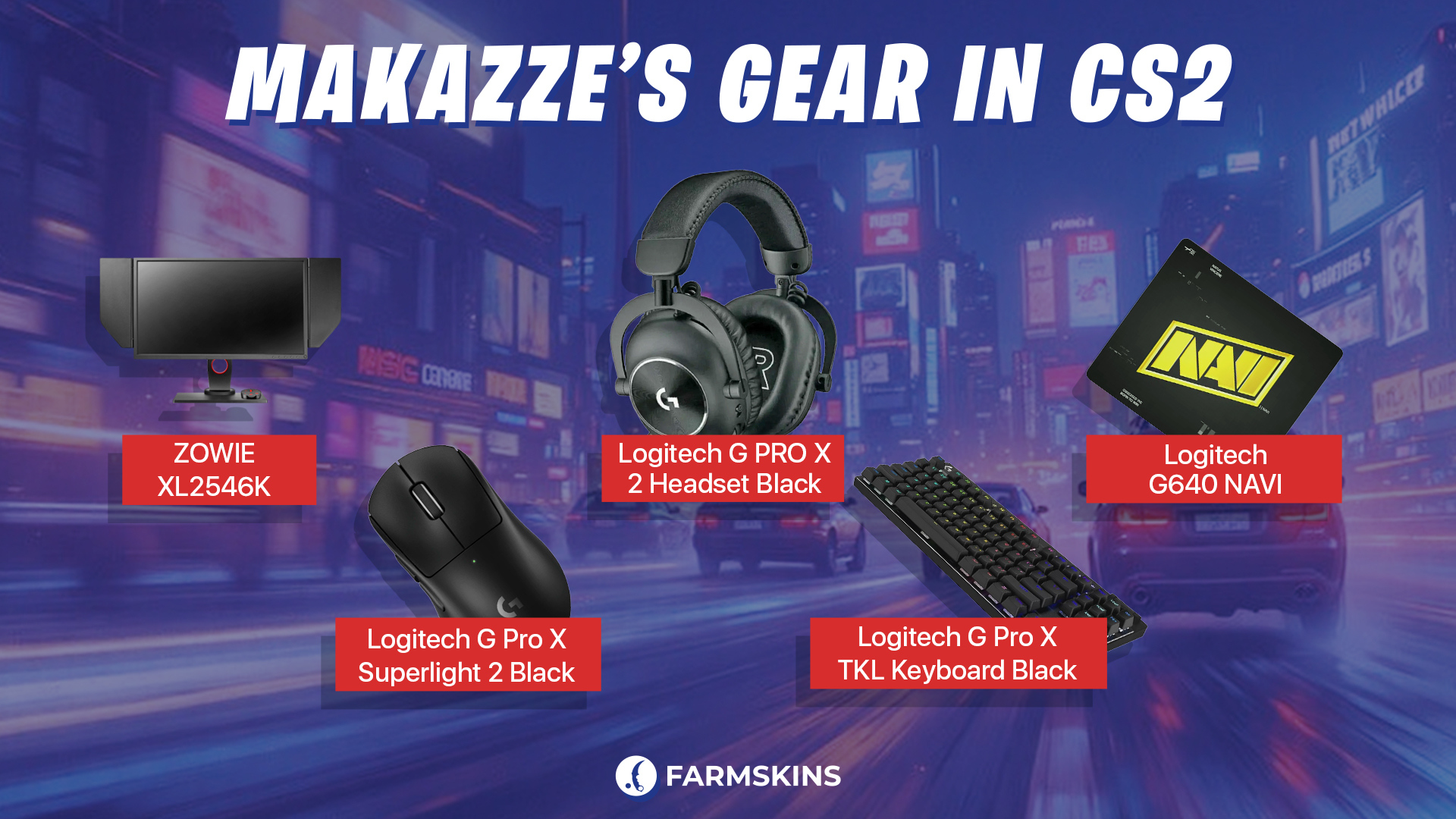
makazze uses reliable and professional-grade gear that supports consistent performance in all scenarios:
-
Monitor: ZOWIE XL2546K
-
Mouse: Logitech G Pro X Superlight 2 Black
-
Keyboard: Logitech G Pro X TKL Keyboard Black
-
Mousepad: Logitech G640 NAVI
-
Headset: Logitech G PRO X 2 Headset Black
Makazze’s Skins in CS2
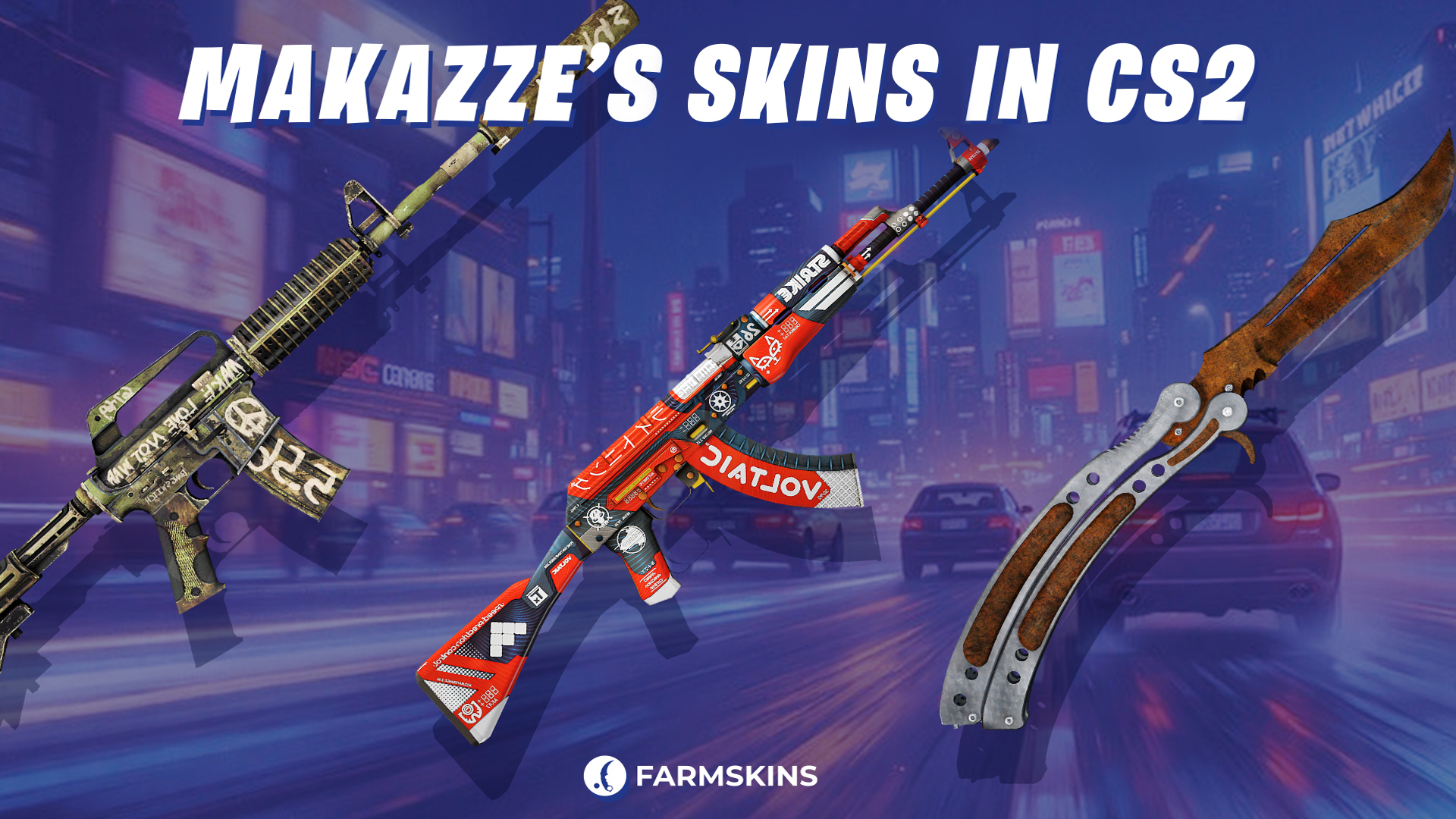
makazze prefers a blend of stylish and practical skins that match his confident rifling playstyle. These choices reflect his personality and high-level performance:
-
StatTrak™ ★ Butterfly Knife | Rust Coat (Battle-Scarred)
A worn but charismatic butterfly knife with a rusty, post-apocalyptic look.
Average Price: $780
Cases: Covert Knives,Spectrum 2 -
StatTrak™ AK-47 | Bloodsport (Minimal Wear)
A bold, futuristic AK-47 with a vivid red-and-white design — a perfect fit for an esports star.
Average Price: $440
Cases: Exclusive,Covert,AK-47,The Boss,Shadow,Exclusive Farm,Lotus -
M4A1-S | Flashback (Battle-Scarred)
A vintage-style M4A1-S with graffiti and lettering that give it a DIY warzone aesthetic.
Average Price: $1
Cases: Restricted,M4A4 & M4A1-S,Falcon,Aladdin,Gamer,Legendary
Top 10 Most Popular CS2 Skins in 2025
Conclusion
Makazze CS2 settings combine precision and aggression, making him a dangerous opponent on the professional stage. His config is perfect for players who want to play fast, confidently, and accurately. Try out his setup if you want to get closer to the level of NAVI’s rising star.


