Perfecto’s Config and Settings in CS2

Perfecto’s Config and Settings in CS2: Get Ahead with These Winning Configs
Ilya “Perfecto” Zalutskiy is a beast in the CS2 scene, repping Cloud9 like a champ. Known for clutching rounds and staying ice-cold under pressure, Perfecto’s been a big part of NAVI’s wins since he joined in 2020. With titles like the PGL Major Stockholm 2021 and the Intel Grand Slam under his belt, he’s definitely someone to watch. Many players look into the Perfecto cfg to better understand his consistency and control in high-stress situations.
His config and settings are a hot topic for players trying to up their game. So, let’s dive into his setup and see what makes him tick! Studying Perfecto prosettings can reveal the precision and detail behind his playstyle. Whether you’re just curious or aiming to improve, experimenting with the Perfecto cfg and taking notes from Perfecto prosettings can give you that extra edge.
Perfecto’s Config in CS2, Perfecto’s Sensitivity Settings in CS2, Perfecto’s Crosshair in CS2, Perfecto's Graphics Settings, Perfecto's Viewmodel Settings in CS2, Perfecto's Devices — Mouse, Headphones, and Keyboard in CS2, Perfecto's Skins, Conclusion
Perfecto’s Config in CS2
Alright, let’s break down Perfecto’s CS2 config. If you’re trying to figure out how this guy pulls off those insane plays, it all starts with his setup. Perfecto’s config is all about precision and staying cool under pressure. Whether you’re just curious or looking to level up your own game, peeping his settings might give you that extra edge.
You can even download his config file via the link below and try it out for yourself. Let’s get into it!
Perfecto’s Sensitivity Settings in CS2
When it comes to sensitivity settings, Perfecto knows what’s up. As a rifler for Cloud9, his aim needs to be on point at all times, and his sensitivity is dialed in to match his playstyle. Whether he’s locking down sites or taking key duels, his settings are fine-tuned for precision and control. If you’re looking to improve your aim, taking notes from Perfecto’s sensitivity setup could be the move.
-
vDPI: 800
-
Sensitivity: 0.9
-
eDPI: 720
-
Zoom Sensitivity: 1
-
Hz: 1000
-
Windows Sensitivity: 6
Perfecto’s Crosshair in CS2
Perfecto’s crosshair in CS2 is basically a clean, no-nonsense version that’s close to the default. No crazy customizations, just a setup that gets straight to business.
If you’re vibing with his style and want the same crosshair, just copy and paste his config text. Let’s break it down!
CSGO-fXGA3-p7fru-ErWoT-DPXaT-nKbEC
How to Change Crosshair in CS2
Perfecto's Graphics Settings
When it comes to graphics settings, Perfecto’s all about that smooth performance. As a rifler, he needs every frame to count, so his setup is dialed in for max FPS without losing clarity. If you’re trying to get those clean visuals while still keeping your game buttery smooth, Perfecto’s settings could be your go-to. Let’s see what he’s rocking in CS2!
-
Resolution: 1280×960
-
Aspect Ratio: 4:3
-
Scaling Mode: Stretched
-
Brightness: 95%
-
Display Mode: Fullscreen
-
Boost Player Contrast: Enabled
-
V-Sync: Disabled
-
NVIDIA Reflex Low Latency: Enabled
-
Multisampling Anti-Aliasing Mode: 8x MSAA
-
Global Shadow Quality: High
-
Model / Texture Detail: Low
-
Texture Filtering Mode: Bilinear
-
Shader Detail: Low
-
Particle Detail: Low
-
Ambient Occlusion: High
Perfecto's Viewmodel Settings in CS2
Perfecto’s viewmodel settings in CS2 are all about keeping his screen clean and focused. As a rifler, he needs his gun position just right to stay sharp in every duel. If you’re trying to dial in your own setup for better visibility and control, Perfecto’s viewmodel could be a solid template.
viewmodel_fov 68; viewmodel_offset_x 2.5; viewmodel_offset_y 0; viewmodel_offset_z -1.5; viewmodel_presetpos 2;
Perfecto's Devices — Mouse, Headphones, and Keyboard in CS2
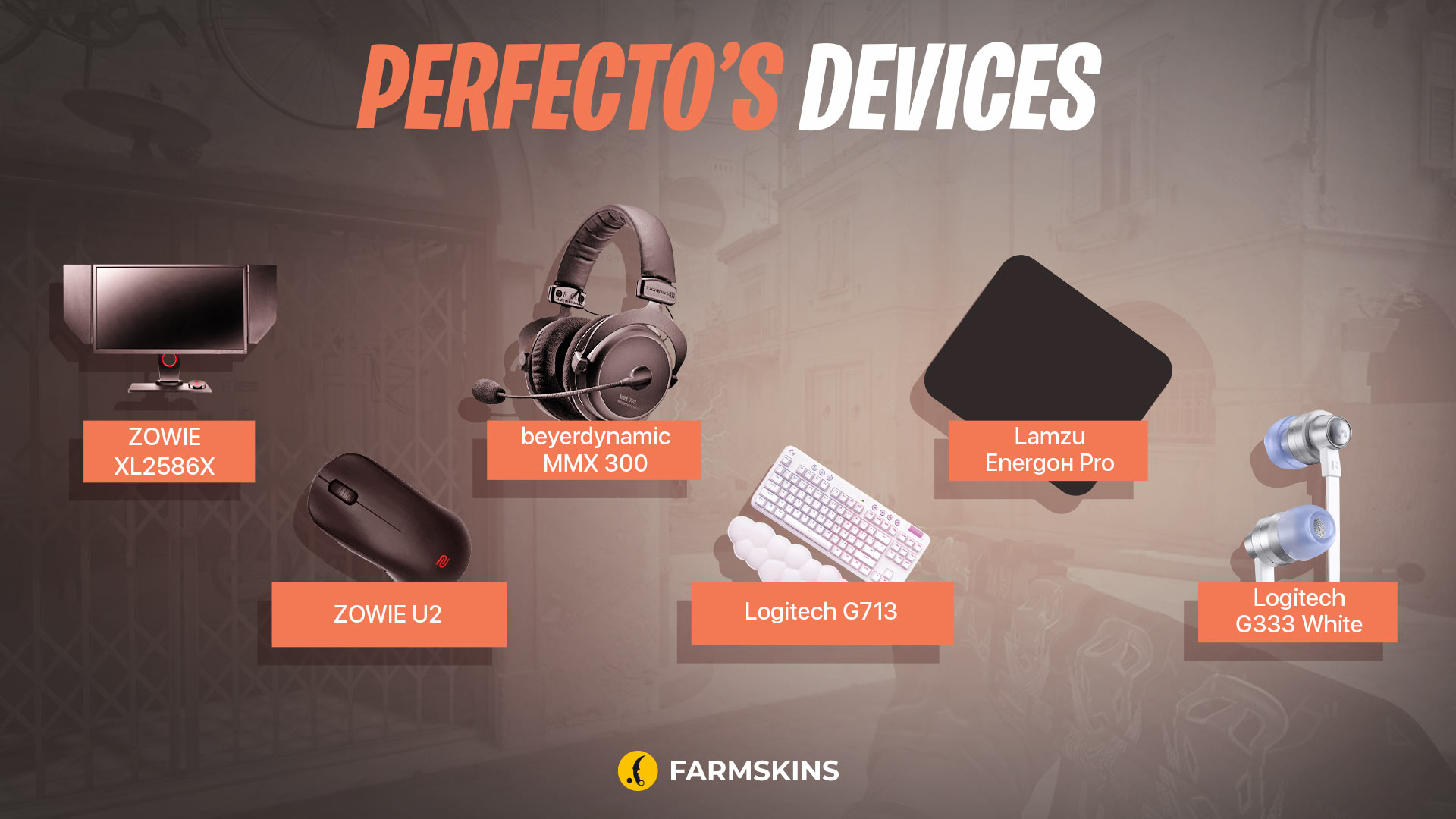
Perfecto’s gear is just as crucial as his in-game settings. When it comes to his mouse, headphones, and keyboard, he’s packing some serious hardware to keep his game sharp. Whether it’s the clicks, the sound, or the feel, everything’s gotta be on point for those clutch moments. Plus, rumor has it that Perfecto’s mouse choice is all about that perfect balance between speed and control.
-
Monitor: ZOWIE XL2586X
-
Mouse: ZOWIE U2
-
Keyboard: Logitech G713
-
Headset: beyerdynamic MMX 300
-
Mousepad: Lamzu Energon Pro
-
Earphones: Logitech G333 White
Perfecto's Skins
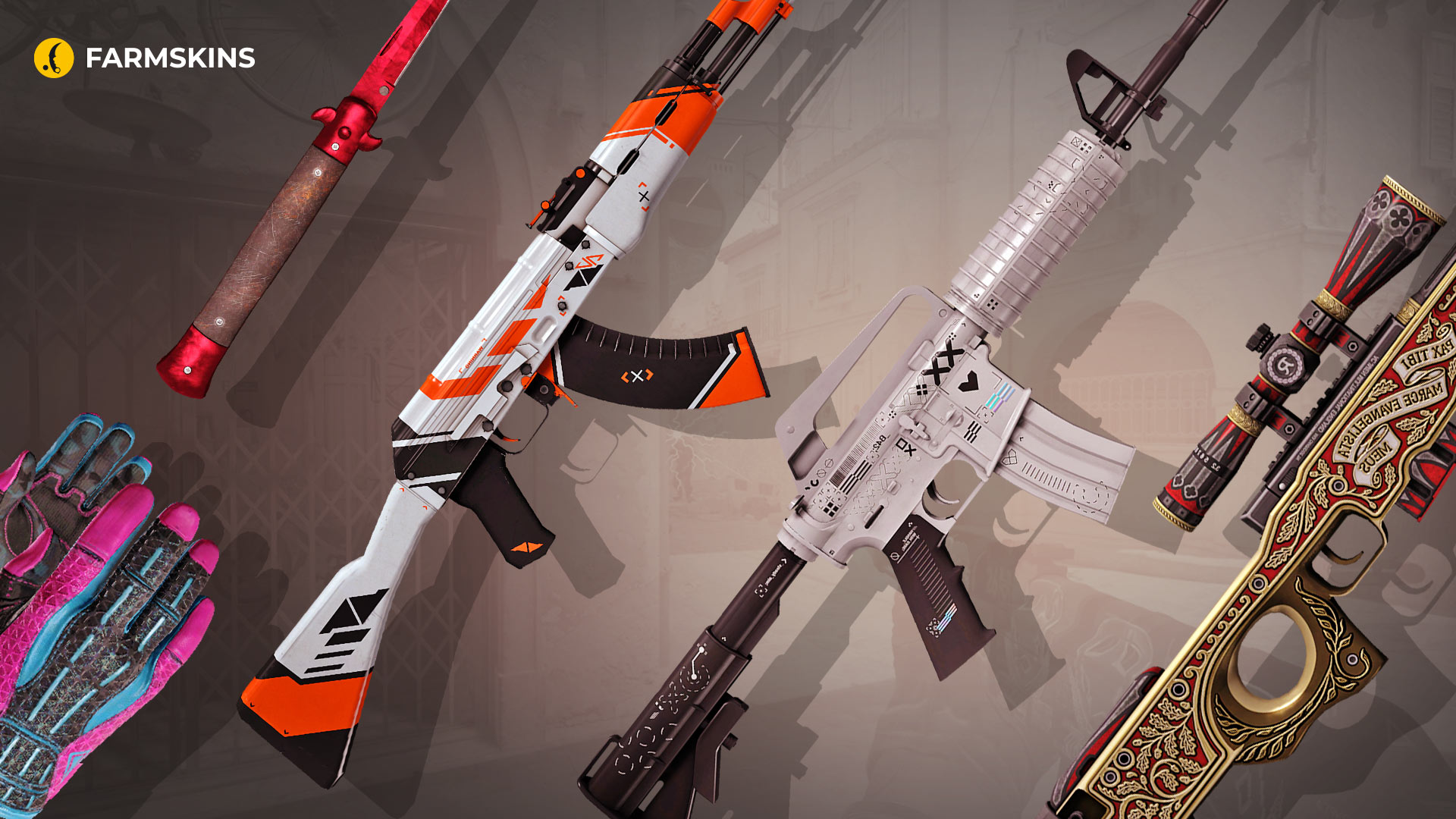
Perfecto’s skins in CS2 are straight fire! While his gameplay does most of the talking, his skins add that extra flair. From sleek rifles to flashy knives, his loadout definitely stands out. If you’re curious about what skins Perfecto flexes in-game, this is the spot. Let’s check out the swag he’s rocking!
Sport Gloves | Vice (Minimal Wear) brings neon retro vibes with deadly precision, making your hands look as sharp as your gameplay.
Average price: $4,200
Item drops from these cases: Gloves, Covertgloves, Sand, MK, Clutch Case
Stiletto Knife | Doppler Ruby (Factory New) turns every backstab into an art form with its striking ruby-red blade, a must-have for style and lethality.
Average price: $3,300
StatTrak™ AK-47 | Asiimov (Minimal Wear) blends futuristic design with the reliability of a classic, making it perfect for players who want to dominate with flair.
Average price: $100
Item drops from these cases: Exclusive, Covertknives, Covert, Covertgloves, AK-47, Kingdom, Aladdin, Wyvern, StatTrak Abuse, Gunsmith, Lucky AK-47, Lore, Lotus, Danger Zone
M4A1-S | Printstream (Minimal Wear) combines sleek monochrome with digital glitch effects, delivering a weapon that’s as clean as your headshots.
Average price: $280
Item drops from these cases: Gungnir, Exclusive, Covertknives, Covert, Covertgloves, M4A4 & M4A1-S, Pixel Future, Wyvern, StatTrak Abuse, M4A1 Silence, Ez Covert, Broken Fang.
AWP | The Prince (Field-Tested) adds a touch of royal elegance to your sniping game, making every shot feel majestic.
Average price: $2,500
Item drops from these cases: Gungnir, Exclusive, Covert, AWP
Conclusion
Perfecto’s CS2 setup isn’t just about flashy skins or top-tier gear — it’s a masterclass in balancing performance and style. From his crosshair to his graphics settings, every choice he makes is geared towards keeping him sharp and ready for the next big play. Many players explore the Perfecto cfg to understand how his in-game decisions translate into consistent impact.
Whether you’re trying to level up your game or just curious about how the pros do it, taking notes from Perfecto prosettings could be your next power move. At the end of the day, it’s not just the Perfecto cfg, but how you make it work for you. Fine-tuning your settings by analyzing Perfecto prosettings can help you find your own perfect balance. Now go out there and start fragging like a pro!


