Xantares’ CS2 config

Xantares' CS2 Settings and Configuration: Improve Your Gameplay with These Pro Settings
Xantares is a player who aims to strike first, making early aggressive plays.Let’s take a closer look at Xantares’ CS2 config and what helps him stay on top.Xantares, as Turkish professional Counter-Strike 2 player, currently plays for Eternal Fire as an entry fragger. He is widely regarded as the best Turkish CS player. In 2024, Xantares helped his team reach the quarterfinals of the PGL Major Copenhagen, defeating top-tier teams like Team Vitality and FaZe Clan during the group stage, before falling to the eventual champions, NaVi.Now, let’s find out what helps this player maintain a high level of performance—and break down the exact CS2 settings Xantares uses.
Xantares’ CS2 Config, Xantares’ Mouse Sensitivity in CS2, Xantares’ Crosshair in CS2, Xantares’ Video Settings, Xantares’ Viewmodel Settings in CS2, Xantares’ Gear in CS2, , Xantares’ Skins in CS2, , Conclusion
Xantares’ CS2 Config
As his team’s entry fragger (the one who always goes in first, aiming to get the first kill, deal as much damage as possible, and provide intel), Xantares needs lightning-fast reaction time and pinpoint accuracy. His configuration is tailored to enhance these abilities during gameplay. To make things easier for you, we’ve gathered all of Xantares’ settings right here! Download and try them out if you’re aiming to become a strong entry fragger yourself.
Xantares’ Mouse Sensitivity in CS2
Xantares’ mouse sensitivity plays a crucial role in CS2. With the right settings, you can shoot more confidently and stay focused. As a top-tier player, Xantares has fine-tuned his mouse setup to react instantly and secure quick kills. Try his exact settings below—you might find your new sweet spot!
Mouse Settings:
-
DPI: 400
-
Sensitivity: 2.3
-
eDPI: 920
-
Zoom Sensitivity: 1.1
-
Windows Sensitivity: 6
-
Polling Rate: 1000 Hz
Xantares’ Crosshair in CS2
Xantares uses a crosshair that’s designed for maximum clarity and control—ideal for quick kills or locking down enemy advances. It’s built to perform in any situation without ever letting you down. Many players find his crosshair extremely comfortable and effective. Give it a try and see the difference!
To apply the Xantares crosshair, simply copy and paste the code below into your game settings:
Crosshair Code:
CSGO-xbpe2-E24RJ-YXNuO-pQvt8-ppNAK
Xantares’ Video Settings
As a front-line player, Xantares needs fast reactions and the ability to notice every visual detail during duels. He also has a playstyle where he sits very close to the monitor—so he’s chosen settings that maximize performance and comfort for his style of play.
Video Settings:
-
Resolution: 1024x768
-
Aspect Ratio: 4:3
-
Display Mode: Fullscreen
-
Scaling Mode: Stretched
-
Boost Player Contrast: Enabled
-
Vertical Sync: Disabled
-
Multisampling Anti-Aliasing Mode: 4x MSAA
-
Global Shadow Quality: Low
-
Dynamic Shadows: Enabled
-
Model/Texture Detail: Low
-
Texture Filtering Mode: Anisotropic 4x
-
Shader Detail: Low
-
Particle Detail: Low
Xantares’ Viewmodel Settings in CS2
Xantares viewmodel settings can make gameplay more comfortable by decluttering the screen and offering a slight advantage. As an attacker, Xantares has chosen a clean and optimized viewmodel setup to keep his focus on the action.
Viewmodel Settings:
-
viewmodel_fov 60;
-
viewmodel_offset_x 1;
-
viewmodel_offset_y 1;
-
viewmodel_offset_z -1;
-
viewmodel_presetpos 1;
Xantares’ Gear in CS2
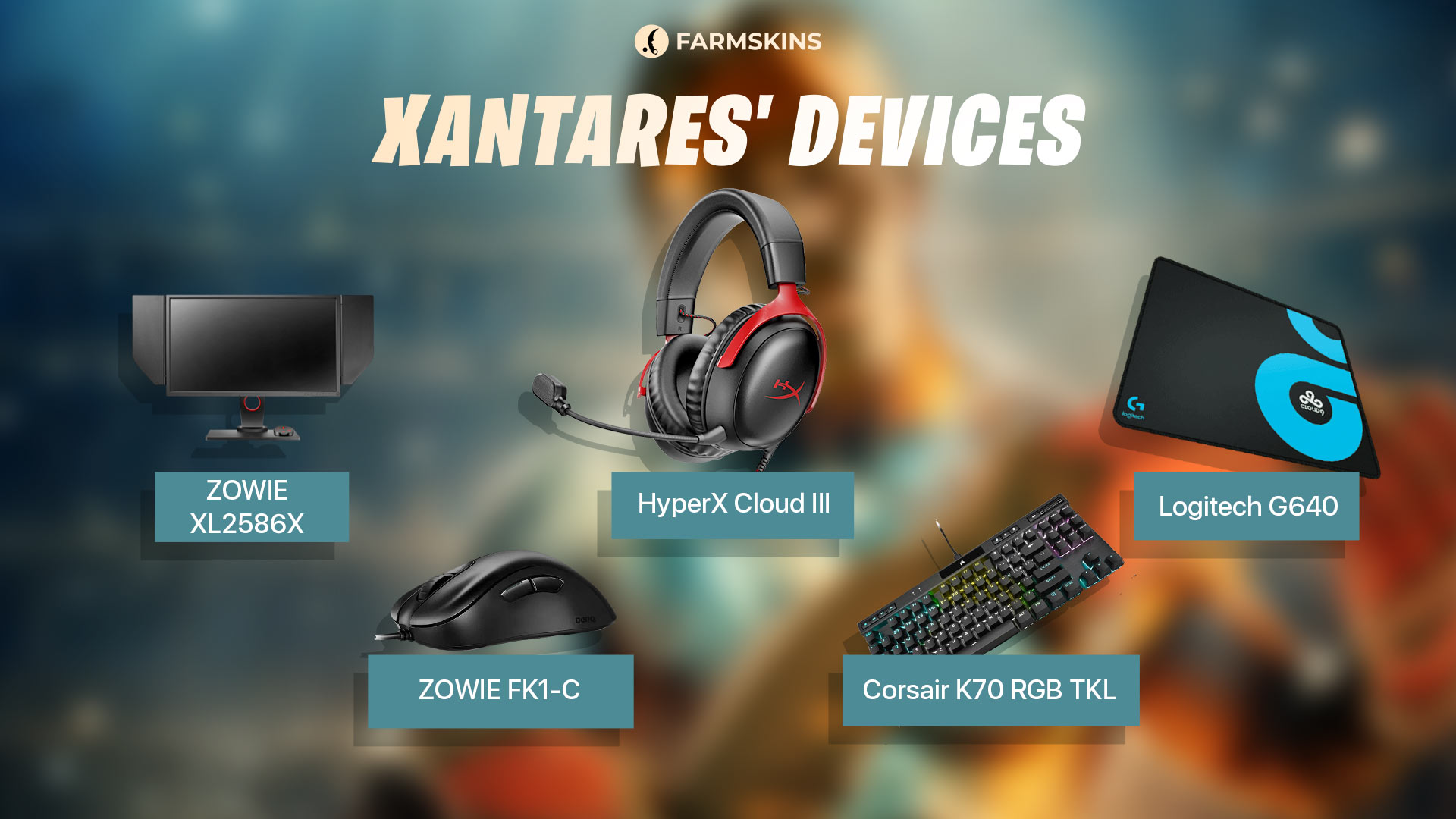
-
Monitor: ZOWIE XL2586X
-
Mouse: ZOWIE FK1-C
-
Keyboard: Corsair K70 RGB TKL
-
Headset: HyperX Cloud III
-
Mousepad: Logitech G640
For a player like Xantares, fast reaction and precision are everything. His mouse helps him stay sharp in high-pressure moments, and his monitor delivers high resolution and crystal-clear visuals. This setup allows Xantares to maintain peak performance at the highest levels of CS2.
Xantares’ Skins in CS2
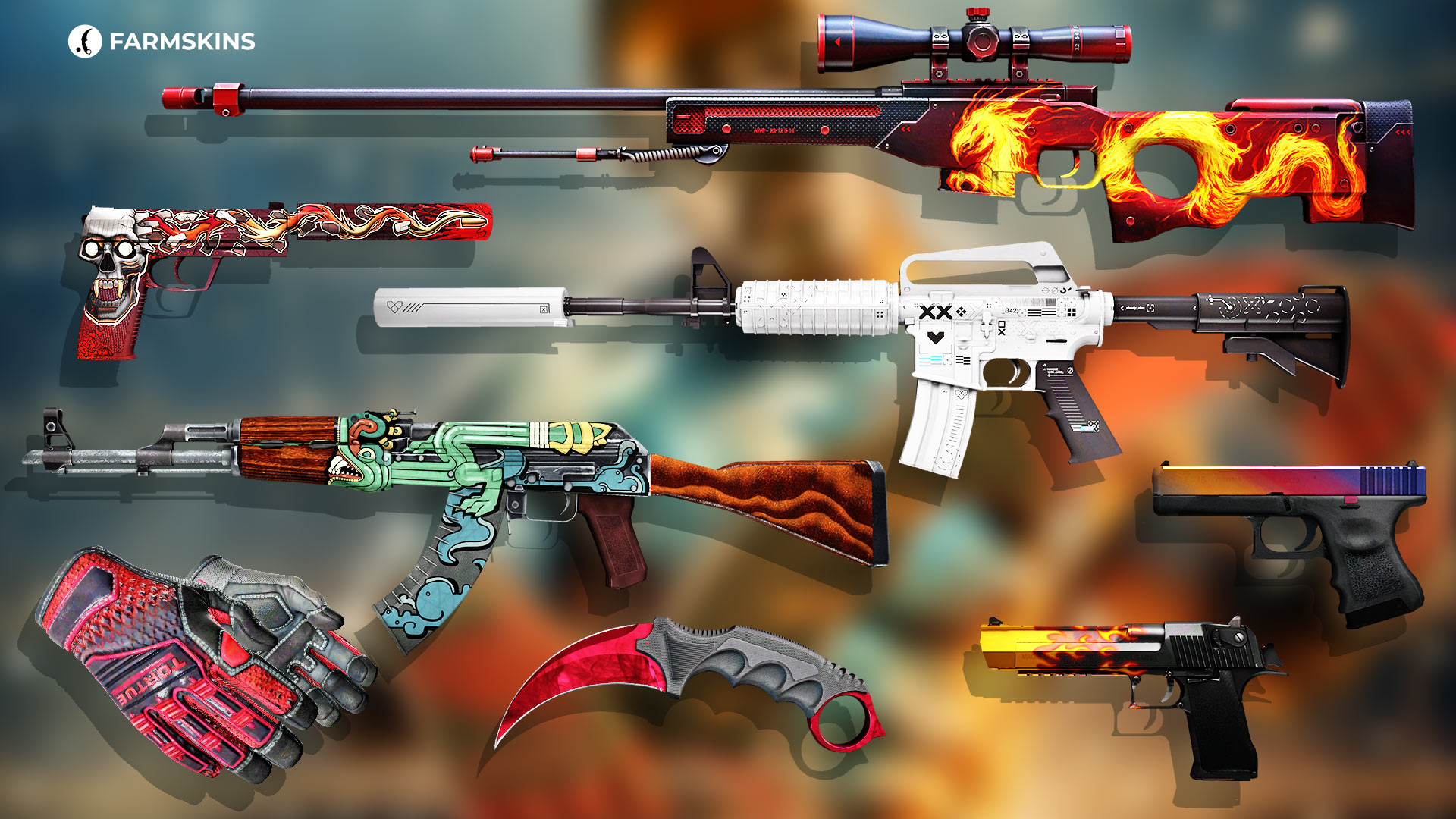
Xantares’ CS2 skin collection reflects his playstyle—bold, fierce, and stylish. If you’re looking for something that’s both fiery and intimidating, these skins are a perfect fit:
Karambit | Doppler Ruby (Factory New)A bright blood-red shimmer that shows elegance and power.
-
Average Price: $11,200
-
Case:Luxury Knife,Tale,X-Speed,Pinkman
Specialist Gloves | Crimson Kimono (Field-Tested)Sleek black-and-red gloves that give you a menacing look.
-
Average Price: $2,804
-
Case: Gloves, Streets of Fight, Farmgloves
AK-47 | Fire Serpent (Field-Tested)A fiery serpent design that intimidates enemies while looking refined.
M4A1-S | Printstream (Factory New)Striking white skin with shimmering overlays and bold black accents.
-
Average Price: $464
-
Case: Gungnir, Exclusive, Covert Knives, Covert, Covert Gloves, M4A4 & M4A1-S, Pixel Future, M4A1 Silence, Ez Covert, Broken Fang
AWP | Wildfire (Minimal Wear)Flames that seem to warn enemies to watch their heads.
-
Average Price: $96
-
Case: Gungnir, Exclusive, Covert, Covert Knives, Covert Gloves, AWP, Kingdom, MK, The Boss, Shadow, Fast AWP, Ez Covert, Hissing Snake, Lore
Glock-18 | Fade (Factory New)A gradient design that adds vibrancy and flair to your pistol.
-
Average Price: $1,542
-
Case: Gungnir, Exclusive, Restricted, Top Guns, Shadow
USP-S | Kill Confirmed (Minimal Wear)Fearsome bullet-through-skull graphic—ready for your next headshot.
-
Average Price: $633
-
Case: Gungnir, Exclusive, Covert, Covert Gloves, Top Guns, The Boss, Ez Covert, Shadow
Desert Eagle | Blaze (Factory New)Flaming barrel design that shows just how deadly each shot is.
-
Average Price: $654
-
Case: Gungnir, Restricted, Top Guns
flameZ’s Config and Settings in CS2: Unlock Pro-Level Performance
Conclusion
We’ve broken down all of Xantares’ settings and equipment—accessible to any player, whether you’re a beginner or already experienced. These configurations can make your gameplay more comfortable and effective. A player of Xantares’ caliber, with his pro-level gear and stylish skins, shows that his setup is among the best in the world. Try it for yourself—and elevate your game to the next level.


