Kyousuke’s CS2 Settings and Config

Kyousuke’s CS2 Settings and Config: How Team Spirit’s Rising Star Plays
In the world of professional CS2, it’s rare for a player to immediately capture the attention of not only fans but also rivals. Kyousuke is one of those rare cases. The young rifler from Team Spirit has confidently entered the tier-1 scene and already made a name for himself as one of the most promising talents of the new generation. His style is defined by composure under pressure, consistent aim, and the ability to make quick and accurate decisions during the tensest moments of a match.He isn’t afraid to take initiative and often becomes the player who turns the tide of a round. All of this is possible thanks not only to raw talent but also to meticulous work on his game configuration, hardware setup, and optimization of every detail. In this article, we’ll take a close look at Kyousuke CS2 settings, gear, and skin preferences.
"1. Kyousuke’s CS2 Settings and Config: How Team Spirit’s Rising Star Plays","1.1. Kyousuke’s CS2 Config","1.2. Kyousuke’s Mouse Settings in CS2","1.3. Kyousuke’s Crosshair in CS2","1.4. Kyousuke’s Video Settings","1.5. Kyousuke’s Viewmodel Settings","1.6. Kyousuke’s Gear","1.7. Kyousuke’s CS2 Skins","1.8. Conclusion"
Kyousuke’s CS2 Config
A pro player’s journey starts with the right config. Kyousuke setup is fine-tuned for aggressive yet controlled gameplay. He reacts instantly to enemy moves, and his config supports that—minimizing input lag, ensuring clear visuals, and offering predictable spray control.Kyousuke’s settings are perfect for players looking to improve their aim, gain consistency in duels, and master spray control.
Kyousuke’s Mouse Settings in CS2
Kyousuke has found a comfortable balance of DPI and sensitivity that allows for swift crosshair movement without sacrificing precision. This is especially vital for riflers who need to engage at both close and mid-range on a moment’s notice.
Mouse Settings:
-
DPI: 800
-
In-game Sensitivity: 1.28
-
eDPI: 1024
-
Zoom Sensitivity: 1.0
-
Windows Sensitivity: 6
-
Polling Rate: 1000 Hz
This eDPI is often seen as the “golden mean”—fast enough for flicks, precise enough for headshots.
Kyousuke’s Crosshair in CS2
Kyousuke CS2 crosshair is designed for precise headshots and minimal visual clutter. It doesn’t change shape while shooting and remains clearly visible on all maps and textures.
Crosshair Code:
CSGO-8nb3d-Et6WE-QsF6B-V3E7j-WphrM
You can copy and paste this code into your CS2 settings and try it out instantly. It’s especially effective for medium-range engagements.
Kyousuke’s Video Settings
Like most pros, Kyousuke opts for low graphical CS2 settings—not just for higher FPS, but also to reduce visual distractions. A clean, simple image helps him focus on enemy models and react faster.
Video Settings:
-
Resolution: 1280x960
-
Aspect Ratio: 4:3
-
Display Mode: Fullscreen
-
Scaling Mode: Stretched
-
Boost Player Contrast: Enabled
-
V-Sync: Disabled
-
Multisampling Anti-Aliasing Mode: 8x MSAA
-
Global Shadow Quality: Low
-
Dynamic Shadows: All
-
Shader Detail: Low
-
Particle Detail: Low
-
Texture Filtering Mode: Bilinear
-
Ambient Occlusion: Disabled
These settings ensure a smooth experience even in intense moments—like a B-site split or a tense 1v2 clutch.
Kyousuke’s Viewmodel Settings
A bulky weapon model can block your view and distract you. That’s why many pros, including Kyousuke, adjust their viewmodel to keep the screen as clean as possible.
Viewmodel Settings:
viewmodel_fov 68
viewmodel_offset_x 2.5
viewmodel_offset_y 0
viewmodel_offset_z -1.5
viewmodel_presetpos 1
This layout lets Kyousuke maintain a wide field of view and better spot enemies in his peripheral vision.
Kyousuke’s Gear
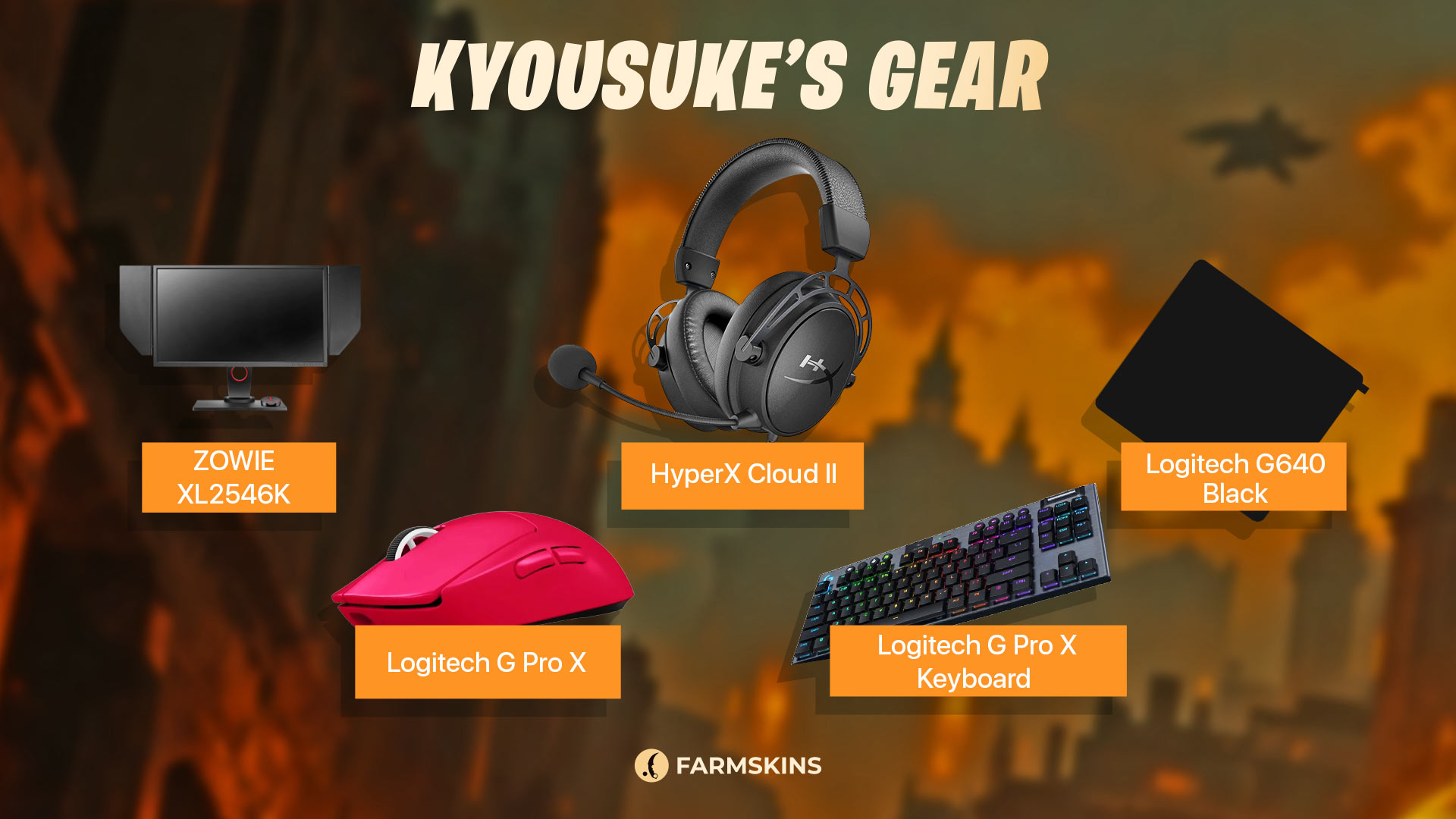
Stable performance isn’t possible without reliable gear. Kyousuke carefully selects each peripheral for maximum comfort and accuracy.
Gear Setup:
-
Monitor: ZOWIE XL2546K
-
Mouse: Logitech G Pro X Superlight 2 (Magenta)
-
Keyboard: Logitech G Pro X Keyboard (GX Blue Clicky switches)
-
Headset: HyperX Cloud II
-
Mousepad: Logitech G640 Black
Kyousuke’s CS2 Skins
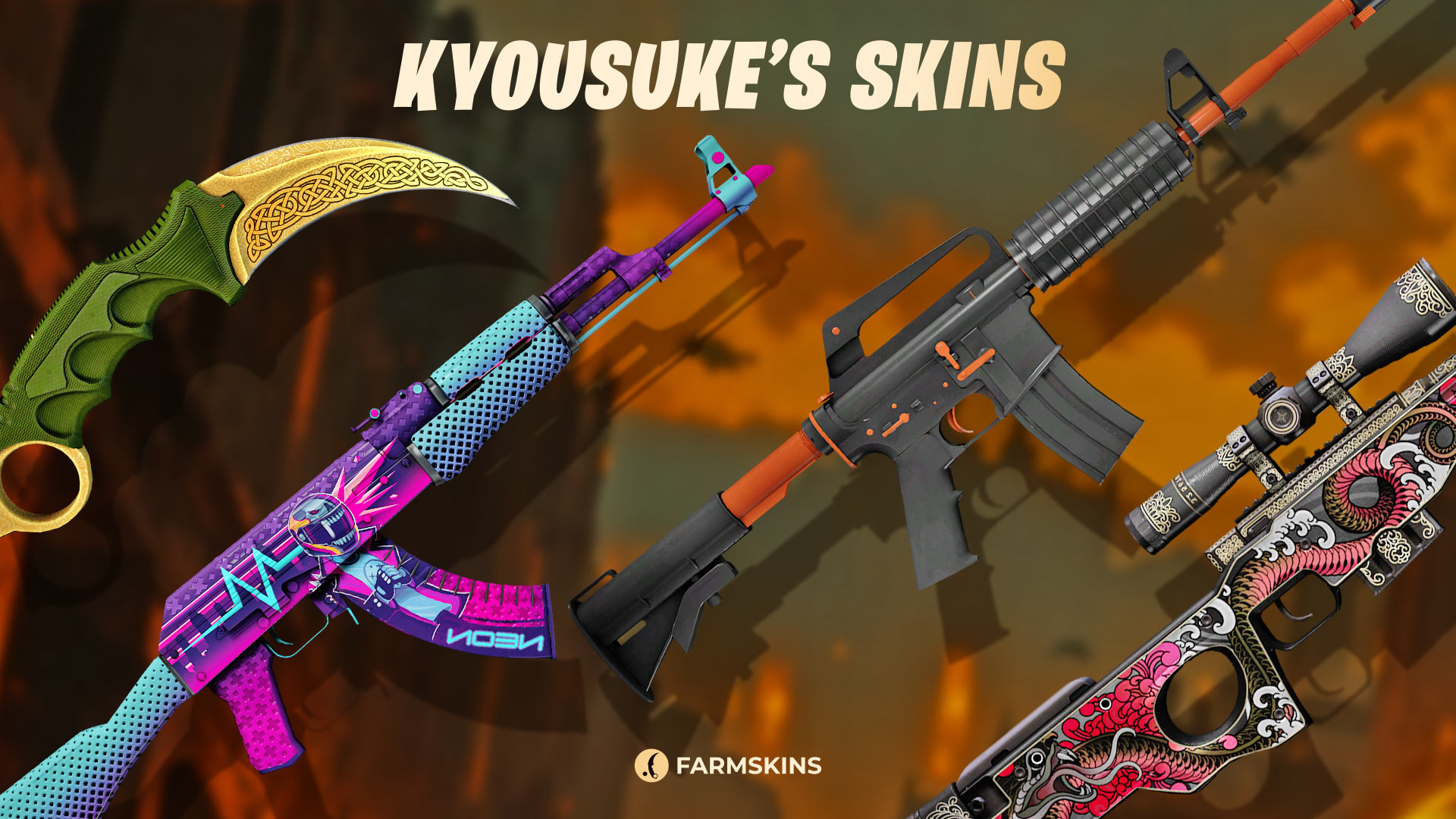
A player’s visual style isn’t just about aesthetics—it’s part of their identity. Bold, memorable Kyousuke CS2 skin collection combines aggression and flair, reflecting his in-game persona.
-
Karambit | Lore (Factory New)
A stunning knife with a gold ornamental blade and rich green handle.
Average Price: $2850
Case: Gungnir,Luxury Knife,Knives,Lore -
AK-47 | Neon Rider (Field-Tested)
A vibrant, futuristic design with neon tones—perfect for standing out in battle.
Average Price: $250
Case: Covert,Covert Gloves,AK-47,Dive,Rush,The Boss,AK-47 Legacy,Eye-catching,Lotus,Horizon -
M4A1-S | Nitro (Field-Tested)
A sleek black-and-white skin with sharp red accents—modern and aggressive.
Average Price: $4
Case: Restricted, M4A4 & M4A1-S,Kingdom,Contra,Hissing snake -
AWP | Duality (Minimal Wear)
A sniper skin with bold red and gold contrast—symbolizing dual forces at play.
Average Price: $12
Case: Classified, AWP,Pixel Future,Aladdin,Sniper Pack,Revolution
apEX’s Config and Settings in CS2
Conclusion
Kyousuke exemplifies the modern CS2 pro: a mix of talent, discipline, and deep mechanical understanding. Kyousuke СS2 config is a well-tuned system where every setting has a purpose. Rather than blindly copying others, he adapts everything to suit his own style—making him a dangerous opponent at any level.If you want to improve your aim, consistency, and teamplay, Kyousuke’s setup is a great place to start. Apply these Kyousuke СS2 settings in your own game, test them out—and you might just feel the same level of control that powers Team Spirit’s rising star.
.jpg)
.jpg)
.jpg)


