TeSeS CS2 Config and Settings

TeSeS CS2 Config and Settings
René Madsen, known as “TeSeS,” is a professional Counter-Strike 2 player from Denmark, specializing in the entry fragger role. Born on December 12, 2000, he began his career in 2017, playing for various Danish teams such as UNBOUND, Reason Gaming.dk, GoldenGitte, and Squared Esports. In 2019, TeSeS joined OpTic Gaming and later moved to Copenhagen Flames. In April 2020, he signed with Heroic, where he played until January 2025 before transferring to Team Falcons. TeSeS is known for his high skill level and consistent performance, which have earned him considerable success. In this article, we’ll go over the key TeSeS CS2 settings that help him stay at the top of his game.
TeSeS' CS2 Config, TeSeS’ Mouse Settings in CS2, TeSeS’ Crosshair, TeSeS’ Video Settings, TeSeS’ Viewmodel Settings, TeSeS’ Gear in CS2, TeSeS’ CS2 Skins, Conclusion
TeSeS' CS2 Config
TeSeS is a pro CS2 player known for his aggressive yet highly precise playstyle, especially in mid- and long-range duels. He plays for a top-tier team and is considered one of the most promising players in his region. To respond swiftly and efficiently in any situation, TeSeS uses a carefully optimized config tailored to his gameplay style.
TeSeS’ Mouse Settings in CS2
In CS2, the mouse is one of the most critical tools for success. TeSeS prioritizes reaction speed and smooth crosshair movement to land accurate shots even in the toughest duels.
-
DPI: 1600
-
Sensitivity: 0.525
-
eDPI: 840
-
Zoom Sensitivity: 1.0
-
Polling Rate: 1000 Hz
-
Windows Sensitivity: 6
These CS2 settings strike a balance between fast reactions and precision. The sensitivity is slightly below average, helping maintain stability and control during aim adjustments.
TeSeS’ Crosshair
TeSeS prefers a clean and minimalist crosshair that doesn’t obstruct his view but remains visible in all lighting conditions and on various maps. It’s thin and brightly colored for better visibility.
Use this code to import TeSeS’ crosshair:
CSGO-aL6sM-ATcyf-aEWcJ-6ZAp3-mGeFO
TeSeS crosshair CS2 helps him quickly spot and lock onto enemies — crucial for his playstyle where instant reactions matter most.
TeSeS’ Video Settings
TeSeS opts for video settings CS2 that maximize performance without sacrificing essential visual clarity.
-
Resolution: 1024x768
-
Aspect Ratio: 4:3
-
Display Mode: Fullscreen
-
Boost Player Contrast: Enabled
-
Anti-Aliasing: 4x MSAA
-
V-Sync: Disabled
-
Shadow Quality: Medium
-
Model & Texture Detail: Low
-
Texture Filtering: Trilinear
These settings minimize distractions and latency while keeping key visual elements like enemy models crisp and easy to spot.
TeSeS’ Viewmodel Settings
TeSeS configures his weapon viewmodel to stay out of the way, giving him maximum visibility of his surroundings.
Viewmodel CS2 Settings:
-
viewmodel_fov 68;
-
viewmodel_offset_x 2.5;
-
viewmodel_offset_y 0;
-
viewmodel_offset_z -1.5;
-
viewmodel_presetpos 2;
This makes his weapon model more compact, allowing him to stay focused on crosshair placement and positioning.
TeSeS’ Gear in CS2
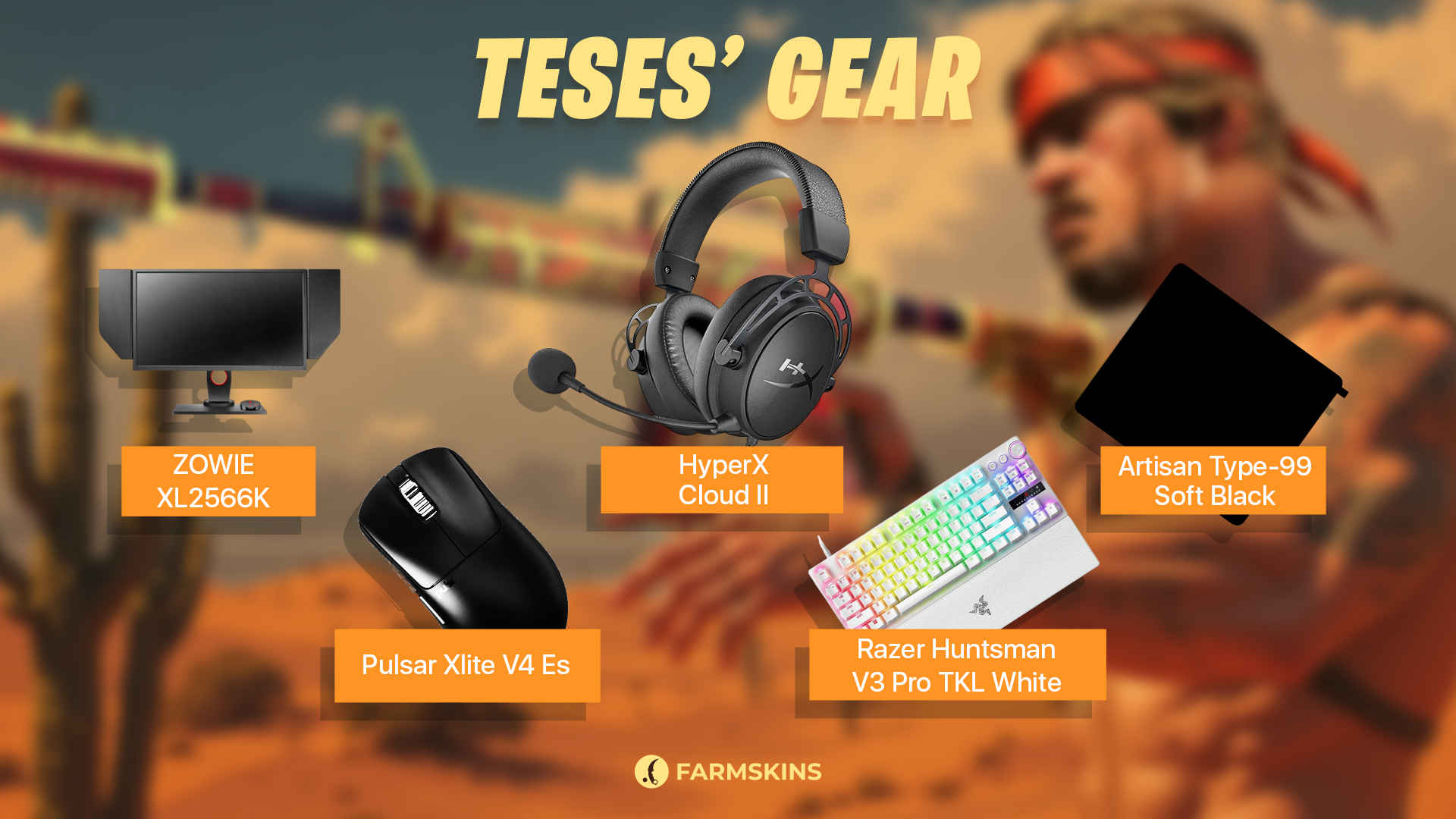
To maintain peak focus and fast reflexes, TeSeS relies on a professional-grade setup:
-
Monitor: ZOWIE XL2566K
-
Mouse: Pulsar Xlite V4 Es
-
Keyboard: Razer Huntsman V3 Pro TKL White
-
Headset: HyperX Cloud II
-
Mousepad: Artisan Type-99 Soft Black
This gear helps TeSeS stay sharp and consistent during long and intense matches.
TeSeS’ CS2 Skins
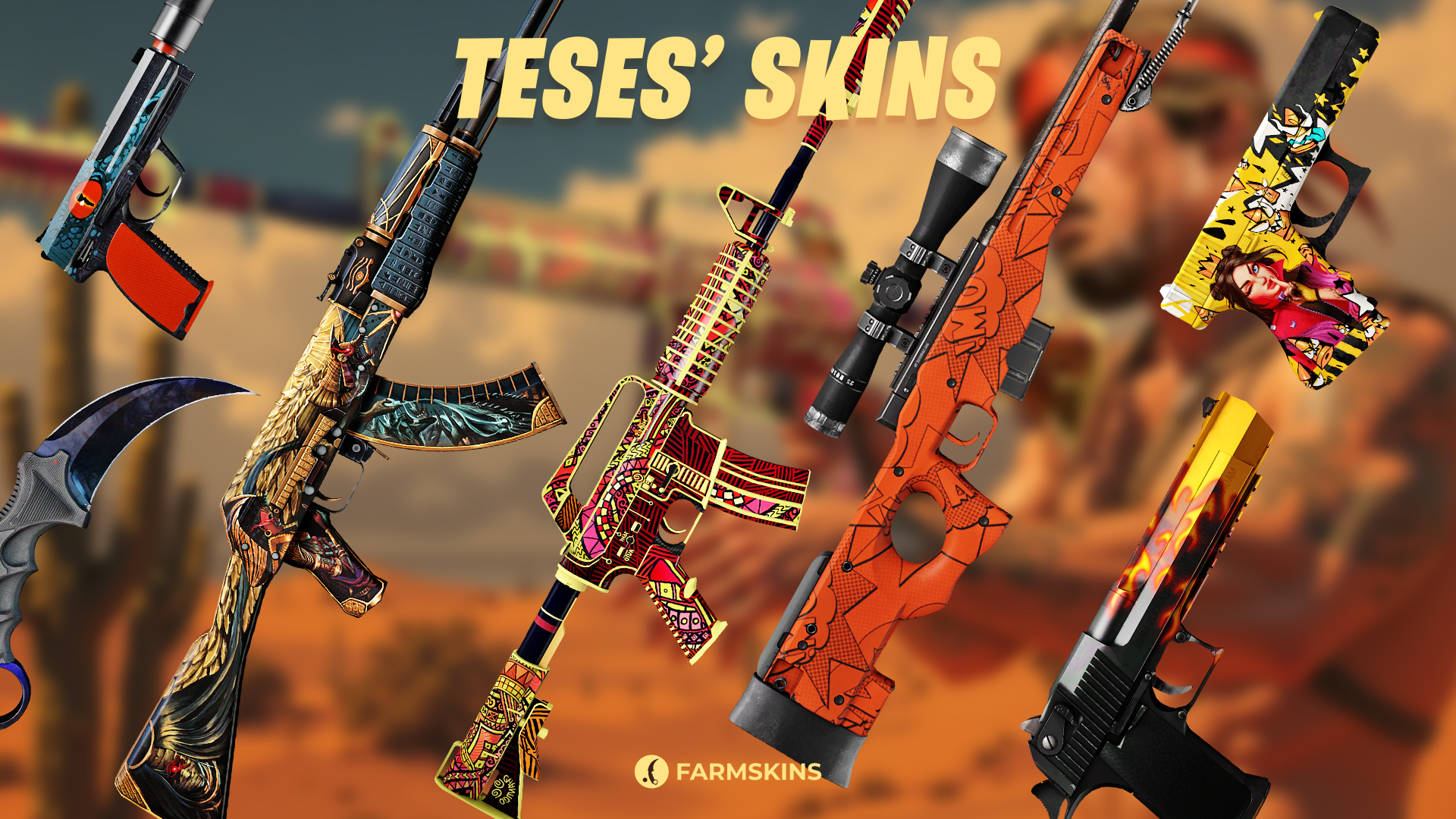
TeSeS CS2 skins reflect his bold and aggressive playstyle — featuring vibrant designs and recognizable patterns.
-
Karambit | Doppler Phase 3 (Factory New)
A stylish knife with a purple-blue sheen, giving it an aggressive and futuristic look.
Average Price: $3466
Cases: Luxury Knife,Tale,X-Speed,Farm Luxury -
StatTrak™ AK-47 | Legion of Anubis (Factory New)
A mythological design inspired by ancient Egypt, combining gold accents with dark, intricate details.
Average Price: $61
Cases: Covert,Covert Knives,AK-47,Sunrise,Falcon,Sand,Shadow,Farmskins New,Doppy,Fracture,Lurker -
StatTrak™ M4A1-S | Chantico’s Fire (Minimal Wear)
A bright and fiery design inspired by the Aztec goddess of fire.
Average Price: $144
Cases: Covert,Covert Knives,M4A4 & M4A1-S,The Boss,Milcovert,Eye-catching,Lore,Recoil -
AWP | BOOM (Factory New)
A bold, comic-style skin with explosive graphics and vibrant colors.
Average Price: $492
Cases: Classified,AWP,Hissing Snake -
Glock-18 | Bullet Queen (Factory New)
A fierce and polished queen-themed design with intricate detail.
Average Price: $42
Cases: Covert, Top Guns,Falcon,Poseidon,Yellow Setup,Prisma 2 -
StatTrak™ USP-S | Caiman (Minimal Wear)
A sleek crocodile-themed skin with subtle texture and matte finish.
Average Price: $132
Case: Hissing Snake -
Desert Eagle | Blaze (Factory New)
Features a fiery blaze design with a glossy finish.
Average Price: $898
Cases: Gungnir, Restricted, Top Guns,Yellow Setup
These skins highlight TeSeS’ confident and energetic playstyle.
Why You Miss Under Pressure in CS2 and How to Fix It
Conclusion
TeSeS CS2 config and settings are a great example of how thoughtful optimization can enhance a player’s performance. From mouse sensitivity to video settings and peripherals, every element is chosen for maximum efficiency and comfort. If you want to level up your game, try adopting TeSeS’ setup and feel the difference. The key is consistent practice and confidence — with the right config, you'll be one step closer to playing like a pro.


